

EMAIL SECURITY ASSISTANT
SHADOWSAFE

Protect your inbox from scammers and criminals
ShadowSafe’s Email Security Assistant automatically filters out phishing, scam, and malicious emails before they reach your inbox, while flagging anything suspicious with clear, easy-to-read warnings.
It’s available 24/7 on any system or device where your work email connects.

Blocks phishing and malware emails before they hit your inbox.
Adds clear warning banners on suspicious messages so your team can spot traps fast.
Detects lookalike domains and sender spoofing (the “looks like your supplier” tricks).
Reduces risk and noise without disrupting normal email flow.
What the banners look like
There are three levels of banners:

GREY BANNER - Information
A grey banner indicates that there’s nothing unusual or suspicious about the message. The banners also display the email sender’s address and mark the email as external.

YELLOW BANNER - Caution
This “Caution” banner indicates that there’s something unusual about the email message, that is not necessarily dangerous, however should be flagged. For example, a yellow banner is displayed from First Time Senders.

RED BANNER - Danger
A red “Danger” banner indicates that the system suspects the message is likely to be a phishing attack or otherwise dangerous. These Dangerous messages can be quarantined.
The top 3 threats to your inbox
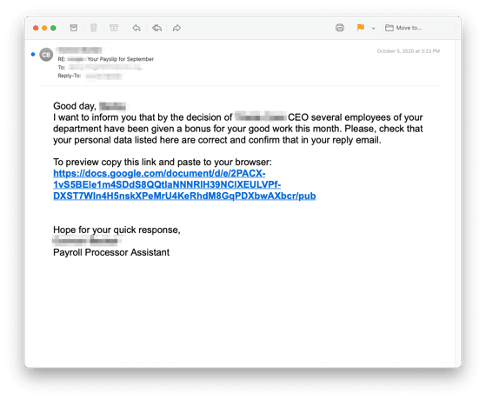
Ransomware and Malware
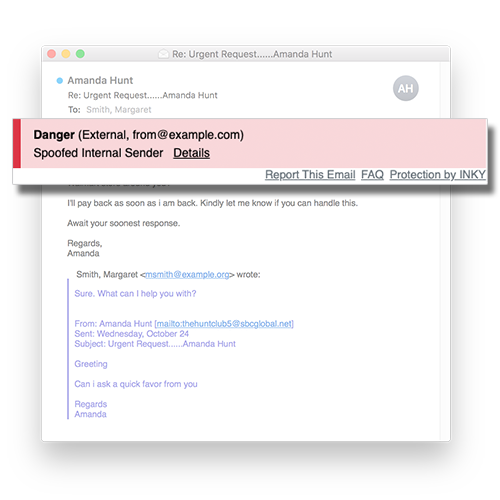
Sender Impersonation
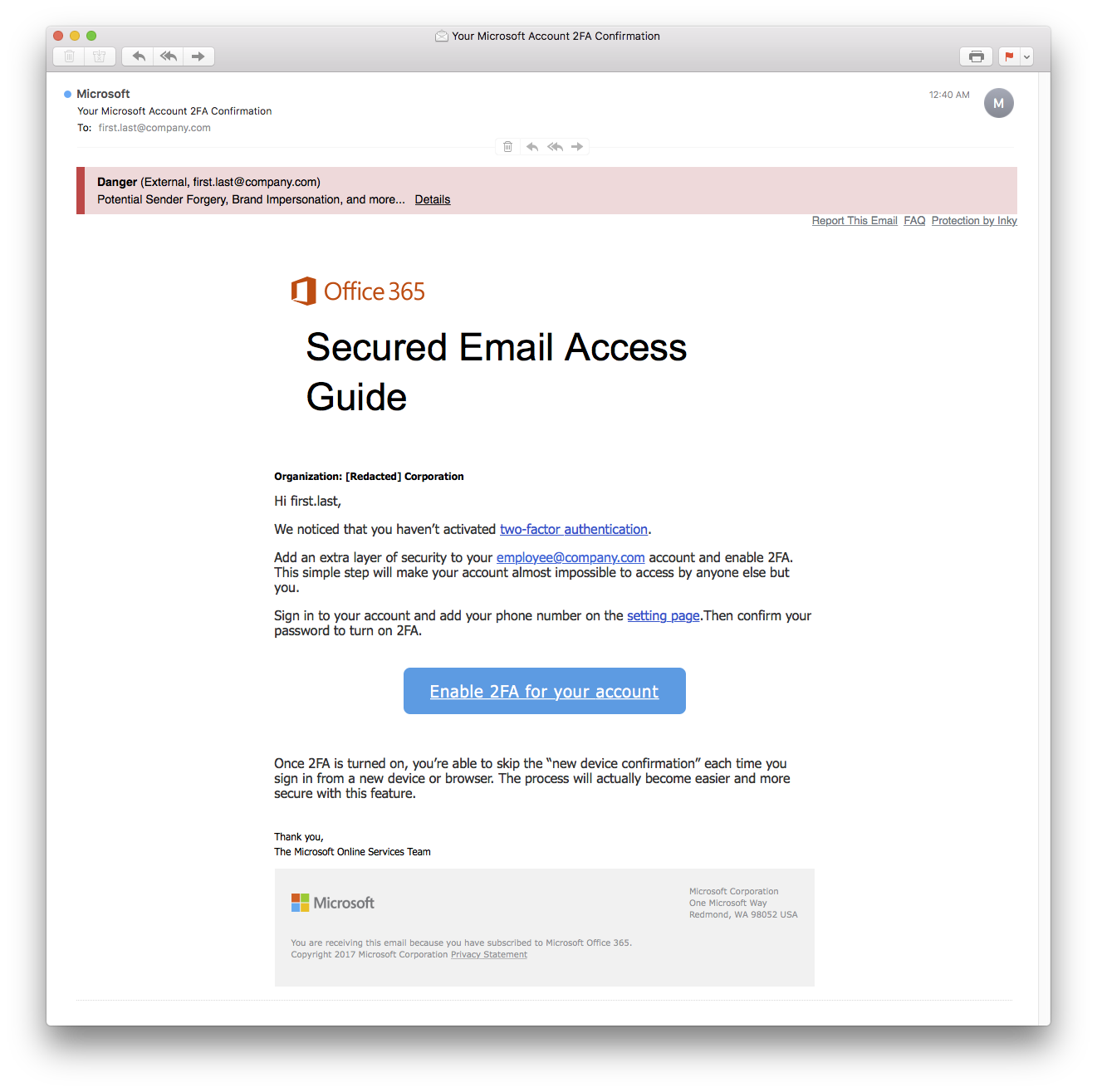
Brand Forgery

-
It’s an email protection layer that scans inbound mail for phishing, spam, scam and other email threats, then flags or blocks risky messages.
-
Those colour banners are added to help you spot risk fast. They also show the real sender address and whether the email is internal (from your organisation) or external. If you’re seeing them, it means ShadowSafe has enabled protection for your account.
-
Graymail Legitimate emails you once signed up for but no longer want: like newsletters, sale promos, or account updates. Example: A retailer's weekly email or an old industry newsletter.
What to do: Click unsubscribe.Spam Unsolicited bulk email from unknown senders. Annoying and sometimes shady, but not always dangerous. E.g. Random offers for miracle products or too-good-to-be-true deals.
What to do: Mark as spam and delete. Don't reply.Phishing Fake messages pretending to be from someone you trust, designed to steal passwords, payments, or personal information. E.g. "Your account will be locked—verify now," fake invoices, or bogus delivery notices.
What to do: Don't click links or open attachments. Report as phishing, alert IT, then delete. -
Pause and verify. Check who it’s from, and don’t click links or open attachments unless you’re confident it’s legit.
-
Most of the time, you can delete it and move on. Depending on your settings, risky emails may be quarantined or removed before you see them. Sometimes they still get delivered with a red warning so you know to be careful.
-
It lets you tell the system whether the email is Safe, Spam, or Phishing, and you can add a quick note. This helps improve future detections and is also reviewed to keep accuracy high.
-
The system can re-check links in real time. If a link looks dangerous, it may block the click and show a warning page instead (even if the email originally looked fine).
-
Send it to ShadowSafe (or your internal IT contact). We can review it and adjust settings if needed.
FAQs


Don’t have email protection in place yet?
Have you heard of people losing money because they’ve paid a fake invoice to a criminal’s account?
Sadly, these incidents are becoming more common.
It all starts with a hacker gaining access to one of your email accounts, or impersonating your brand.
Compromised emails can lead to sensitive data being leaked, stolen or even destroyed.
Speak to the ShadowSafe team today to protect your business from cyber threats and IT failures.
Call 07 3185 1777

View more Cyber Solutions